
SAP Business One Core Modules
Most ERP solution come with a minimal amount of core modules. For example, you may think NetSuite is a great deal. Low monthly cost, easy implementation, etc. In reality, NetSuite is equal in implementation costs with SAP Business One. However, with SAP Business One, you get a lot more core modules! Therefore the overall cost of your business solution will be much less expensive than a NetSuite type of solution of comparable modules.
 | Administration Module Define companies, currencies, user security, alerts, approvals, Workflow, import Customers, Suppliers, Leads and Items from Excel, define system module setups. Administration helps companies streamline their best business practices. Over 400 import templates exist for legacy data migration. Recorded Administration Overview Demonstration |
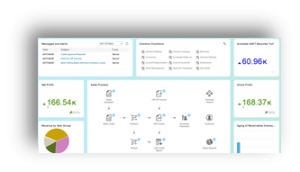 | Financials This is where the Chart of Accounts is defined and managed. Additionally, being a real time accounting system, this is the repository for all GL related transactions, financial reports, budgets and journal entries. Recorded Finance Overview Demonstration |
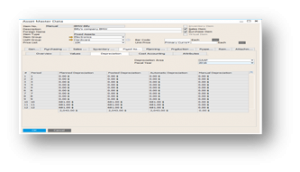 | Fixed Assets Fixed Assets provides multiple depreciation models, one for posting to general ledger, and others for reporting purposes. Depreciation is processed automatically into General Ledger, and Purchasing an asset can also capitalize the asset. All the basics of Asset management are covered in this module. |
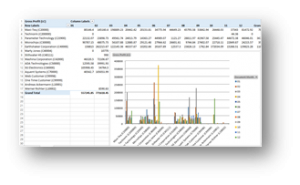 | Cost Accounting and Project Accounting Cost Centers and or Projects can be associated with just about any transaction in SAP Business One regardless of the Chart of Accounts structure. This enables detailed cost account reporting, project P&L reporting and more. Cost Accounting dimensions enable companies to generate financial reports above and beyond their Chart of Accounts structure. |
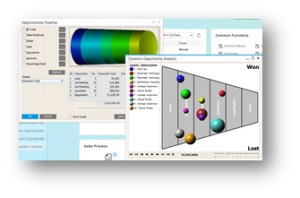 | CRM – Customer Relationship Management Embedded CRM (Customer Relationship Management) is where potential sales and potential sales activities can be added into SAP. This module provides pipeline reporting, sales opportunities, marketing campaigns, campaign responses. Additionally, your sales cycle is defined as stages, allowing complete reporting of opportunities per stage. Opportunities can then be turned into Sales Quotes, Sales Orders and or Invoices. Recorded CRM Overview Demonstration |
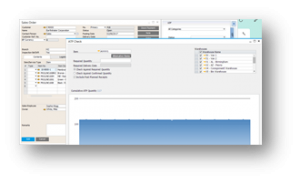 | Sales – A/R Sales Quotes, Sales Orders, Deliveries (Shipments), Returns with the ability to generate Invoices manually or in mass mode. Also includes sales analysis, credit memos, will call pickups (Invoice + Payment). Complete sales audit tracking (Relationship Map), Available to Promise and more. |
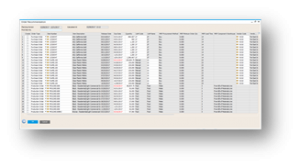 | Purchasing – A/P Purchase Req’s, Purchase Quotes, Purchase Orders, Supplier Returns, 3-way matching for Accounts Payable Invoices, Credit memos and purchase analysis reporting. Purchase Orders can be created from the MRP (Material Requirements Planning) process, manually entered, or directly from Sales Orders. Purchase to warehouse or dropship. |
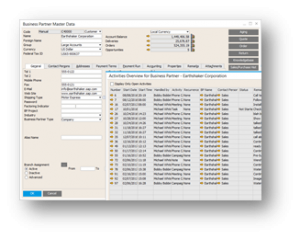 | Business Partners This is where Customers, Suppliers, Leads are created and managed. This is also the repository for all Business Partner related activities like Phone Calls, Meetings, Tasks etc. Blanket Agreements and recurring billing/shipping can also be established in this module. Fully integrated with Outlook, Business Partners can easily be managed inside and outside of SAP Business One. |
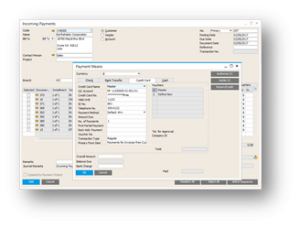 | Banking Banking manages incoming and outgoing payments as well as the bank reconciliation activities. Mapping capabilities exist enabling automation in the reconciliation process with your specific bank(s). Companies can process wire transfers, credit cards, checks and more. Full multi-currency is supported as well as multi-company. |
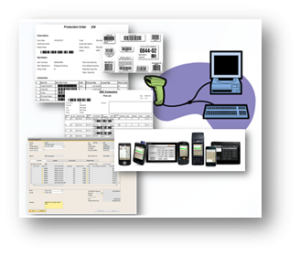 | Inventory This module manages the warehouses both physical and logical locations, items, lot and serial control, inventory transfers, warehouse picking, BIN location management, misc. receipts and issues, physical inventory and cycle counting. Warehouses can be further streamlined with mobile and hand held devices, helping to automate processes and eliminate data inaccuracies. Cycle Counting can completely eliminate the need for traditional yearly Physical Inventories. SSCC Labels, GS1 Labels, Container Management all possible with SAP Business One. |
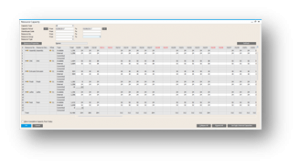 | Resources Resources i.e. Work Centers integrate with SAP Business One Bill of Materials and Production Orders, providing for the capture of overhead costs as well as capacity planning and analysis. Now companies can predict overtime when and if needed, as well as manage tools to better load the production floor. |
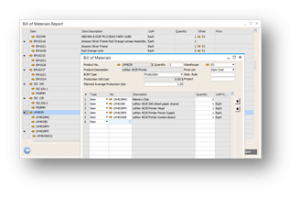 | Production The production module enables customers to define everything from production related Bill of Materials for companies who produce products, to kits used in the sales process. Production Orders capture material and labor required to manufacture products as well as the labor and overheads from the floor. Disassembly orders provide great teardown capabilities for service and repair centers. |
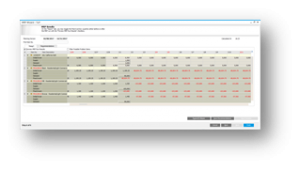 | MRP Material Requirements Planning is a process that nets supply with demand and can optionally include one or more sales forecasts. The output is a recommendation report of what to buy and when, what to manufacture and when in order to meet the expected demand, without shortages on-time, all backward scheduled by lead time. |
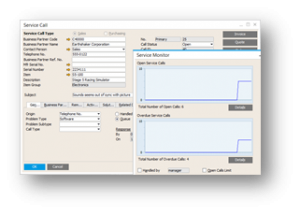 | Service The Service module is where issues can be logged and resolved. Customer calls can be logged and assigned to respective individual or service queues. A knowledge Database can be created helping to quickly resolve issues on the initial call. Invoices can also be generated for Service calls. Warranty information is tracked in the Service module as well. |
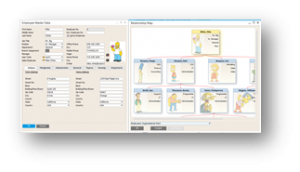 | Human Resources Employee management including demographics, skills, absence tracking, education, with the ability to generate company phone lists. Generate graphical Organizational Charts, manage absentee, previous employment, skills and more. |
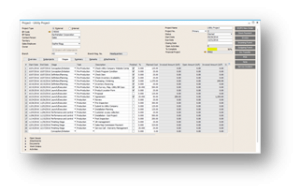 | Project Management Project Management enables companies to manage multi-level work breakdown structures with budget and actual cost rollups. Projects can be fed by Work Orders, Service Incidents, Activities, AP, AR and more. Projects can have unlimited sub-projects providing complete tracking for both internal and external, customer related projects. |
To download the SAP Business One to Go detailed document, click here.
To see a demonstration of SAP Business One or gain more information, please contact us today!
